If you've ever managed a server through ESXi's HTML5 console, an iDRAC/iLO virtual console, or any other browser-embedded KVM, you've hit this wall: there's no clipboard support. Every password, license key, and SSH command has to be typed by hand, character by character, hoping you don't fat-finger anything into a root shell.
I got tired of it, so I built a Hammerspoon hotkey that "types" my clipboard for me — correctly, on any keyboard layout the remote side happens to be using.
Why this needed more than a simple "type my clipboard" script
The naive fix is: grab the clipboard text, inject it as Unicode keystrokes. That works fine for a normal Mac app, but it falls apart on remote consoles, because of how those consoles actually receive keyboard input.
A remote/HTML5 console doesn't get told "the user typed the letter y." It gets told "the key at this physical position was pressed" — a raw scancode — and then the remote side's own configured keyboard layout decides what glyph that corresponds to. Your Mac's layout is irrelevant to it.
That matters a lot on QWERTZ layouts. German keyboards swap Y and Z compared to US QWERTY. If you inject the Unicode character y on a Mac set to US layout, but the remote console is configured for German, the remote side sees "physical key in the Y position" and — because it's German — renders a z. Multiply that by every letter that isn't in the same physical spot across layouts, and a naive paste turns into garbage half the time.
So instead of injecting characters, this tool sends actual physical key-down/key-up events — the same signal a real keyboard sends — using a per-layout lookup table that maps each character to the exact keycode + modifier needed to produce it on the layout the remote side is using. Pick the right layout once, and every character lands correctly.
The hotkey: ⌥⇧V
Everything is driven from one hotkey: Option + Shift + V.
hs.hotkey.bind({"option", "shift"}, "V", function()
    showPasteChooser()
end)
The flow:
- Copy whatever you need to type — password, command, key — to the clipboard as usual (⌘C).
- Click into the target field (the console window, or a local Terminal running
ssh). - Press ⌥⇧V.
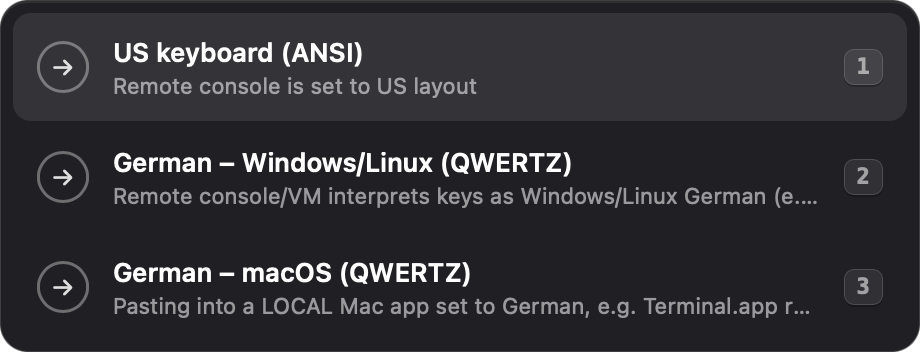
- A small HUD panel pops up asking which keyboard layout the remote side is using.
Picking a layout
Three options are built in, covering the layouts I actually run into:
| # | Layout | Use it when... |
|---|---|---|
| 1 | US keyboard (ANSI) | The remote console is set to a US layout |
| 2 | German – Windows/Linux (QWERTZ) | The remote console/VM interprets keys as Windows/Linux German — this is the common case for the ESXi HTML5 console |
| 3 | German – macOS (QWERTZ) | You're pasting into a local Mac app that's set to German, e.g. Terminal.app running ssh — macOS's own Option-key level differs from the Windows/Linux German layout |
You select one of three ways: click the row, press its number key, or arrow up/down and hit Enter. No search field, no fuzzy matching — three fixed choices, all reachable without touching the mouse.
Once picked, Hammerspoon hands focus back to whatever app was active before the popup appeared, waits a beat for that focus change to actually land, and then starts sending keystrokes — one character roughly every 20ms, physical modifier-down, physical key-down/up, physical modifier-up, mirroring exactly what a real keypress sequence looks like.
Esc cancels — always
This was important to get right, because a slow-paste that can't be stopped is worse than useless if you picked the wrong layout or the clipboard had something you didn't mean to send:
- While the picker is open, pressing Esc just dismisses it — nothing gets typed.
- While keystrokes are already being sent, pressing Esc immediately aborts everything that's left in the queue.
Either way, focus goes straight back to whatever app you were using. Hammerspoon never lingers as the active application, and you're never left mid-paste with no way out.
-- While pasting, ESC cancels
escHotkey = hs.hotkey.bind({}, "escape", function() finish() end)
Why it's built this way (and why that matters for reliability)
A few deliberate choices make this tool something I actually trust to run against production consoles, instead of something that occasionally corrupts a password mid-type:
- The picker is a plain
hs.webviewpanel, noths.chooser. No search field to accidentally type into, no fuzzy-match surprises — just three fixed rows, styled to look like a native popup. - Non-activating window. The picker takes keyboard focus without making Hammerspoon.app the active application, so the console window never visibly loses focus, and switching back is instant.
- Guarded against double-firing. A running flag prevents a second
⌥⇧Vpress from starting a second paste mid-flight and interleaving keystrokes. - Modifiers are sent as real key events, with small delays, not just modifier flags attached to the key event — because slower HTML5 consoles need to actually register "Shift is down" before the character event arrives, or the shifted character gets dropped.
- Zero configuration. Clone it, reload Hammerspoon, done — there's no settings file or first-run setup to get wrong.
That combination — a tool with exactly one job, an escape hatch that always works, and no hidden state to get confused about — is what makes it something I reach for without thinking twice, instead of something I have to double-check before I trust it near a password field.
Source, installation, and full code
The full init.lua, an installation guide, and a deeper explanation of the per-layout keycode tables live in the GitHub repo:
github.com/keanufuchs/hammerspoon-remote-console-paste
Short version: install Hammerspoon (brew install --cask hammerspoon), grant it Accessibility access, and either clone the repo straight into ~/.hammerspoon or copy init.lua into your existing config. Reload Hammerspoon, and ⌥⇧V is live.
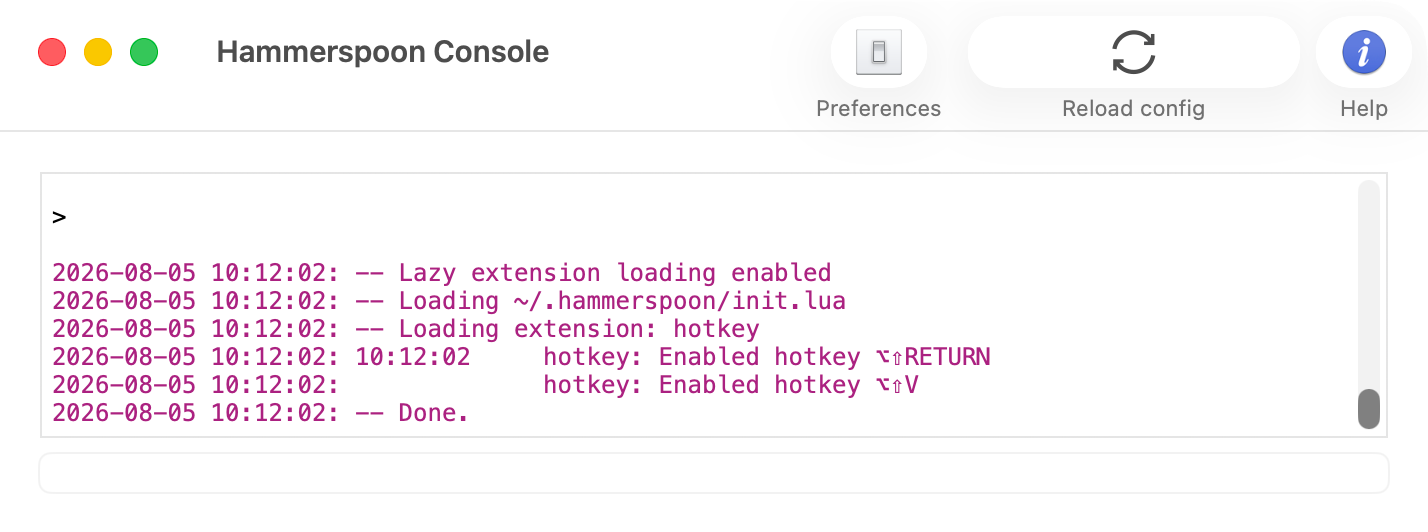
You can confirm it loaded correctly by opening the Hammerspoon Console (menu bar icon → Console) — it logs the hotkey as enabled: